 bitmartexchange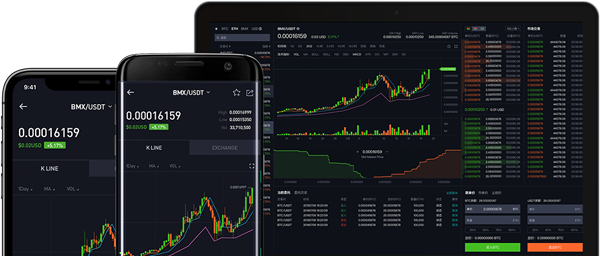
BitMart-Node-SDK-API



BitMart Exchange official Nodejs client for the BitMart Cloud API.
Feature
- Provides exchange quick trading API
- Easier withdrawal
- Efficiency, higher speeds, and lower latencies
- Priority in development and maintenance
- Dedicated and responsive technical support
- Provide webSocket apis calls
- Supported APIs:
/spot/*/contract/*/account/*- Spot WebSocket Market Stream
- Spot User Data Stream
- Futures User Data Stream
- Futures WebSocket Market Stream
- Examples
Installation
npm install @bitmartexchange/bitmart-node-sdk-apiDocumentation
Example
Spot Market API Example
const Bitmart = require('@bitmartexchange/bitmart-node-sdk-api')
const bitmartSpotAPI = new Bitmart.BitmartSpotAPI()

// Get Currency List
bitmartSpotAPI.getCurrencies()
  .then(response => bitmartSpotAPI.logger.log(response.data))
  .catch(error => bitmartSpotAPI.logger.log(error))

// Get List of Trading Pairs
bitmartSpotAPI.getSymbols()
  .then(response => bitmartSpotAPI.logger.log(response.data))
  .catch(error => bitmartSpotAPI.logger.log(error))


// Get Ticker of All Pairs
bitmartSpotAPI.getV3Tickers()
  .then(response => bitmartSpotAPI.logger.log(response.data))
  .catch(error => bitmartSpotAPI.logger.log(error))

// Get Ticker of a Trading Pair
bitmartSpotAPI.getV3Ticker('BTC_USDT')
  .then(response => bitmartSpotAPI.logger.log(response.data))
  .catch(error => bitmartSpotAPI.logger.log(error))
Spot Trade API Example
const Bitmart = require('@bitmartexchange/bitmart-node-sdk-api')
const bitmartSpotAPI = new Bitmart.BitmartSpotAPI({
    apiKey: 'your api key',
    apiSecret: 'your secret key',
    apiMemo: 'your api memo',
})

bitmartSpotAPI.newSpotOrder('BTC_USDT', 'sell', 'limit', {
    size: 10000,
    price: "500000"
}).then(response => bitmartSpotAPI.logger.log(response.data))
    .catch(error => {
        if (error.response) {
            bitmartSpotAPI.logger.log(error.response.data);
        } else if (error.request) {
            bitmartSpotAPI.logger.log(error.request);
        } else {
            bitmartSpotAPI.logger.log('Error', error.message);
        }
    });
Please find examples/spot folder to check for more endpoints.
Spot WebSocket Public Channel Example
const { Console } = require('console')
const Bitmart = require('@bitmartexchange/bitmart-node-sdk-api')

const callbacks = {
  open: (client) => {
    // 【Public】Ticker Channel
    client.send('{"op": "subscribe", "args": ["spot/ticker:BTC_USDT"]}')

    // 【Public】KLine Channel
    client.send('{"op": "subscribe", "args": ["spot/kline1m:BTC_USDT"]}')

    // 【Public】Depth Channel
    client.send('{"op": "subscribe", "args": ["spot/depth5:BTC_USDT"]}')

    // 【Public】Trade Channel
    client.send('{"op": "subscribe", "args": ["spot/trade:BTC_USDT"]}')

  },
  close: () => console.info('...Disconnected with server'),
  pong: () => console.info('recv:pong from server'),
  ping: () => console.info('recv:ping from server'),
  message: data => console.info('recv:' + data)
}

const bitmartSpotWebsocket = new Bitmart.BitmartSpotWebsocket(
    'wss://ws-manager-compress.bitmart.com/api?protocol=1.1', {
    callbacks: callbacks
})
Spot WebSocket Private Channel Example
const { Console } = require('console')
const Bitmart = require('@bitmartexchange/bitmart-node-sdk-api')

const callbacks = {
  open: (client) => {
    client.login()

    // 【Private】Order Progress
    client.send('{"op": "subscribe", "args": ["spot/user/order:BTC_USDT"]}')

  },
  close: () => console.info('...Disconnected with Websocket server'),
  pong: () => console.info('recv:pong from server'),
  ping: () => console.info('recv:ping from server'),
  message: data => console.info('recv:' + data)
}

const bitmartSpotWebsocket = new Bitmart.BitmartSpotWebsocket(
    'wss://ws-manager-compress.bitmart.com/user?protocol=1.1', {
    callbacks: callbacks,
    apiKey: 'your api key',
    apiSecret: 'your api secret',
    apiMemo: 'your api memo'
})
Futures Market API Example
const Bitmart = require('@bitmartexchange/bitmart-node-sdk-api')
const bitmartFuturesAPI = new Bitmart.BitmartFuturesAPI()

// Get Market Depth
bitmartFuturesAPI.getDepth('BTCUSDT')
  .then(response => bitmartFuturesAPI.logger.log(response.data))
  .catch(error => bitmartFuturesAPI.logger.log(error))


// Get Futures Open Interest
bitmartFuturesAPI.getOpenInterest('BTCUSDT')
  .then(response => bitmartFuturesAPI.logger.log(response.data))
  .catch(error => bitmartFuturesAPI.logger.log(error))

// Get Current Funding Rate
bitmartFuturesAPI.getCurrentFundingRate('BTCUSDT')
  .then(response => bitmartFuturesAPI.logger.log(response.data))
  .catch(error => bitmartFuturesAPI.logger.log(error))
Futures Trade API Example
const Bitmart = require('@bitmartexchange/bitmart-node-sdk-api')
const bitmartFuturesAPI = new Bitmart.BitmartFuturesAPI({
    apiKey: 'your api key',
    apiSecret: 'your secret',
    apiMemo: 'your memo',
})

bitmartFuturesAPI.newFuturesOrder({
    symbol: "ETHUSDT",
    client_order_id: "BM12344444",
    side: 4,
    mode: 1,
    type: "limit",
    leverage: "1",
    open_type: "isolated",
    size: 10,
    price: "2000"
}).then(response => bitmartFuturesAPI.logger.log(response.data))
    .catch(error => {
        if (error.response) {
            bitmartFuturesAPI.logger.log(error.response.data);
        } else if (error.request) {
            bitmartFuturesAPI.logger.log(error.request);
        } else {
            bitmartFuturesAPI.logger.log('Error', error.message);
        }
    });
Please find examples/futures folder to check for more endpoints.
Futures WebSocket Public Channel Example
const { Console } = require('console')
const Bitmart = require('@bitmartexchange/bitmart-node-sdk-api')

const callbacks = {
  open: (client) => {
    // 【Public】Ticker Channel
    client.send('{"action":"subscribe","args":["futures/ticker"]}')

    // 【Public】Depth Channel
    client.send('{"action":"subscribe","args":["futures/depth20:BTCUSDT"]}')

    // 【Public】Trade Channel
    client.send('{"action":"subscribe","args":["futures/trade:BTCUSDT"]}')

    // 【Public】Kline Channel
    client.send('{"action":"subscribe","args":["futures/klineBin1m:BTCUSDT"]}')

  },
  close: () => console.info('...Disconnected with Websocket server'),
  pong: () => console.info('recv:pong from server'),
  ping: () => console.info('recv:ping from server'),
  message: data => console.info('recv:' + data)
}

const bitmartFuturesWebsocket = new Bitmart.BitmartFuturesWebsocket(
    'wss://openapi-ws-v2.bitmart.com/api?protocol=1.1', {
    callbacks: callbacks
})
Futures WebSocket Private Channel Example
const { Console } = require('console')
const Bitmart = require('@bitmartexchange/bitmart-node-sdk-api')

const callbacks = {
  open: (client) => {
    client.login()

    // 【Private】Assets Channel
    client.send('{"action": "subscribe","args":["futures/asset:USDT", "futures/asset:BTC"]}')

    // 【Private】Position Channel
    client.send('{"action": "subscribe","args":["futures/position"]}')

    // 【Private】Order Channel
    client.send('{"action": "subscribe","args": ["futures/order"]}')

  },
  close: () => console.info('...Disconnected with Websocket server'),
  pong: () => console.info('recv:pong from server'),
  ping: () => console.info('recv:ping from server'),
  message: data => console.info('recv:' + data)
}

const bitmartFuturesWebsocket = new Bitmart.BitmartFuturesWebsocket(
    'wss://openapi-ws-v2.bitmart.com/user?protocol=1.1', {
    callbacks: callbacks,
    apiKey: 'your api key',
    apiSecret: 'your api secret',
    apiMemo: 'your api memo'
})
Custom Logger Integration
const Bitmart = require('@bitmartexchange/bitmart-node-sdk-api')
const fs = require('fs')
const { Console } = require('console')


// make sure the logs/ folder is created beforehand
const output = fs.createWriteStream('./logs/stdout.log')
const errorOutput = fs.createWriteStream('./logs/stderr.log')

const logger = new Console({ stdout: output, stderr: errorOutput })
const bitmartSpotAPI = new Bitmart.BitmartSpotAPI({logger: logger})

bitmartSpotAPI.getTickerDetail('BTC_USDT')
  .then(response => bitmartSpotAPI.logger.log(response.data))
  .catch(error => bitmartSpotAPI.logger.log(error))
Extra Options
Authentication
How to set API KEY?
const Bitmart = require('@bitmartexchange/bitmart-node-sdk-api')
const bitmartSpotAPI = new Bitmart.BitmartSpotAPI({
    apiKey: 'your api key',
    apiSecret: 'your secret key',
    apiMemo: 'your api memo',
})
Timeout
Set HTTP connection timeout and read timeout.
const Bitmart = require('@bitmartexchange/bitmart-node-sdk-api')
const bitmartSpotAPI = new Bitmart.BitmartSpotAPI({
    timeout: 2000 // Milliseconds, the default value is 5000, which means 5 seconds
})

bitmartSpotAPI.getV3Tickers()
  .then(response => bitmartSpotAPI.logger.log(response.data))
  .catch(error => bitmartSpotAPI.logger.log(error))
Logging
The default logger defined in the package is Node.js Console class. Its output is sent to process.stdout and process.stderr, same as the global console.
const Bitmart = require('@bitmartexchange/bitmart-node-sdk-api')
const fs = require('fs')
const { Console } = require('console')

// make sure the logs/ folder is created before hand
const output = fs.createWriteStream('./logs/stdout.log')
const errorOutput = fs.createWriteStream('./logs/stderr.log')
const logger = new Console({ stdout: output, stderr: errorOutput })

const bitmartSpotAPI = new Bitmart.BitmartSpotAPI({
    logger: logger
})

bitmartSpotAPI.getV3Tickers()
  .then(response => bitmartSpotAPI.logger.log(response.data))
  .catch(error => bitmartSpotAPI.logger.log(error))
Domain
How to set API domain name? The domain name parameter is optional,
the default domain name is https://api-cloud.bitmart.com.
const Bitmart = require('@bitmartexchange/bitmart-node-sdk-api')
const bitmartSpotAPI = new Bitmart.BitmartSpotAPI({
    baseURL: 'https://api-cloud.bitmart.com'
})

bitmartSpotAPI.getV3Tickers()
  .then(response => bitmartSpotAPI.logger.log(response.data))
  .catch(error => bitmartSpotAPI.logger.log(error))
Custom request headers
You can add your own request header information here,
but please do not fill in X-BM-KEY, X-BM-SIGN, X-BM-TIMESTAMP
const Bitmart = require('@bitmartexchange/bitmart-node-sdk-api')
const bitmartSpotAPI = new Bitmart.BitmartSpotAPI({
    headers: {'Your-Custom-Header':'xxxxxxxxxx'}
})

bitmartSpotAPI.getV3Tickers()
  .then(response => bitmartSpotAPI.logger.log(response.data))
  .catch(error => bitmartSpotAPI.logger.log(error))
Response Metadata
The bitmart API server provides the endpoint rate limit usage in the header of each response. This information can be obtained from the headers property. x-bm-ratelimit-remaining indicates the number of times the current window has been used, x-bm-ratelimit-limit indicates the maximum number of times the current window can be used, and x-bm-ratelimit-reset indicates the current window time.
Example:
x-bm-ratelimit-mode: IP
x-bm-ratelimit-remaining: 10
x-bm-ratelimit-limit: 600
x-bm-ratelimit-reset: 60
This means that this IP can call the endpoint 600 times within 60 seconds, and has called 10 times so far.
const Bitmart = require('@bitmartexchange/bitmart-node-sdk-api')
const bitmartSpotAPI = new Bitmart.BitmartSpotAPI()

bitmartSpotAPI.getV3Tickers()
  .then(response => bitmartSpotAPI.logger.log(
    response.headers['x-bm-ratelimit-mode'],
    response.headers['x-bm-ratelimit-remaining'],
    response.headers['x-bm-ratelimit-limit'],
    response.headers['x-bm-ratelimit-reset'],
  ))
  .catch(error => bitmartSpotAPI.logger.log(error))