 NyashaNziramasanga
React Native Horizontal Scroll Menu
A horizontally scrolling tab/picker component for React Native
| Actual Project Usage | Sample |
|---|---|
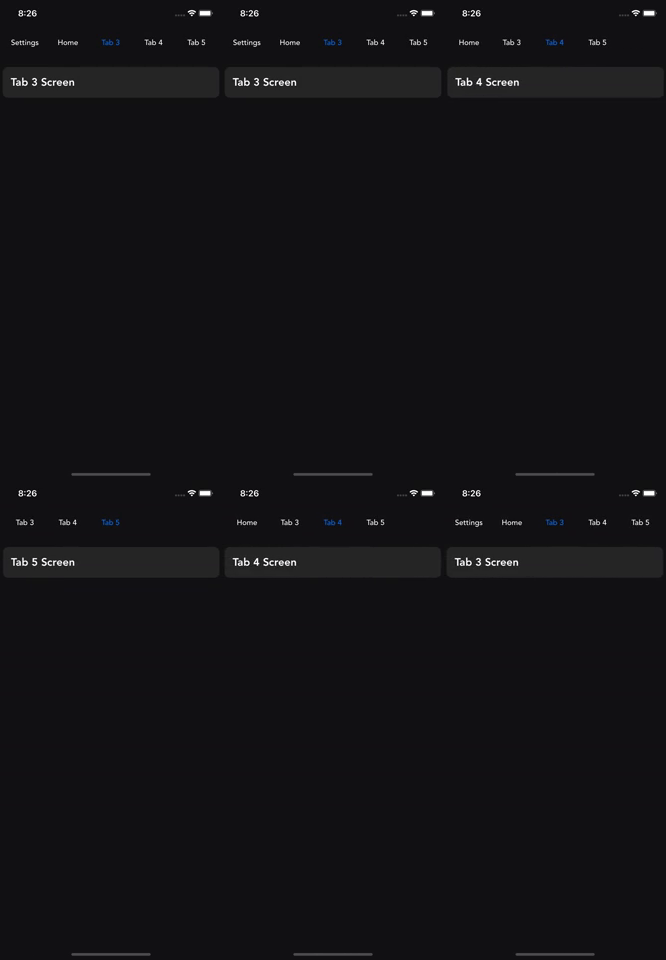 |
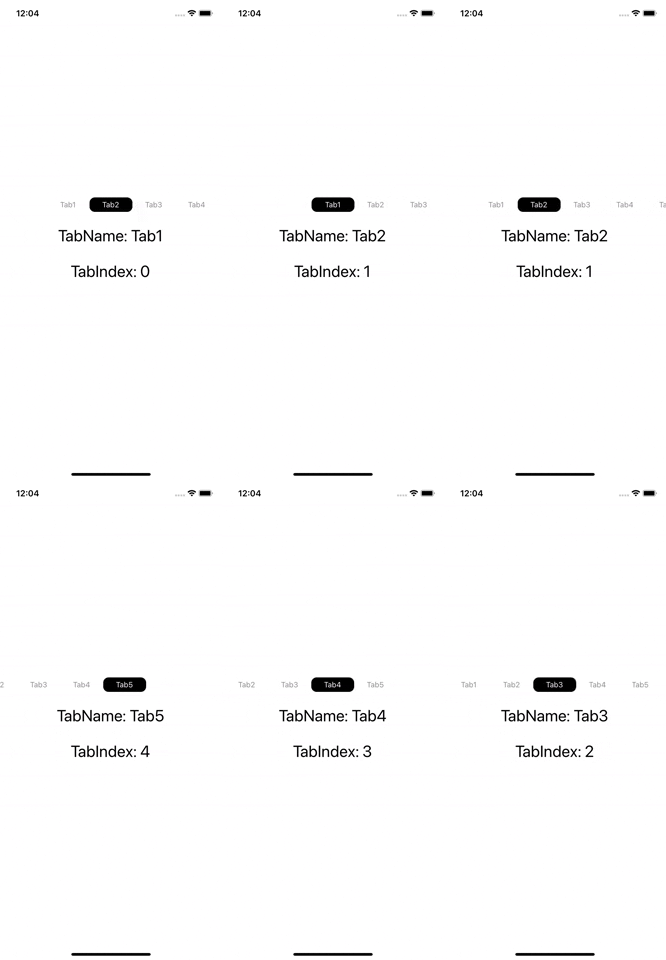 |
🏁 Getting Started
npm i @nyashanziramasanga/react-native-horizontal-scroll-menuor
yarn add @nyashanziramasanga/react-native-horizontal-scroll-menu🧰 Usage
import HorizontalScrollMenu, { RouteProps } from '@nyashanziramasanga/react-native-horizontal-scroll-menu/src';

 const [selectedIndex, setSelectedIndex] = useState(1);

  const NavigationTabs = [
    {
      id: 0,
      name: 'Tab1',
    },
    {
      id: 1,
      name: 'Tab2',
    },
    {
      id: 2,
      name: 'Tab3',
    },
    {
      id: 3,
      name: 'Tab4',
    },
    {
      id: 4,
      name: 'Tab5',
    },
  ];

const onPress = (route: RouteProps) => {
    setSelectedIndex(route.id);
    console.log('Tab pressed', route);
  };

  return (
    <HorizontalScrollMenu
      items={NavigationTabs}
      onPress={onPress}
      selected={selectedIndex}
      itemWidth={80}
      scrollAreaStyle={{ height: 50 }}
    />
  )
⚙️ Props
Required
| Prop | Description | Type | Default |
|---|---|---|---|
| items | Array of tab items to be displayed | Array<NavigationTabsProps> | |
| onPress | Handle when a tab item is pressed | (route: RouteProps) => void | |
| selected | ident of tab item that is selected | number | 0 |
Optional
| Prop | Description | Type | Default |
|---|---|---|---|
| upperCase | Change text to uppercase | boolean | false |
| textStyle | Style for menu items | StyleProp<TextStyle> | #8C8C8C |
| buttonStyle | Style for menu buttons | StyleProp<TextStyle> | marginRight: 10 |
| activeTextColor | Selected/active tab item text color | string | #ffffff |
| activeBackgroundColor | Selected/active tab item background colour | string | #000000 |
| scrollAreaStyle | Style for the scroll area | StyleProp<ViewStyle> | height: 50 |
| keyboardShouldPersistTaps | | boolean | always | never |
| itemWidth | Width of each tab item | number | 100 |
Example
Clone the project and cd into example folder to see a sample
cd example

yarn / npm i

expo start