 techyaura
ngx-quilljs
An Angular specific rich text editor using Quill Js
Install
npm i ngx-quilljs
use
Use Module
imports: [
    QuilljsModule
],
Then, use component
<ngx-quilljs formControlName="<CONTROL_NAME>" options="<OPTIONAL>"></ngx-quilljs>Editor OPTIONS
Options = {
  theme: <THEME>, // Defaults to 'snow'
  placeholder: '',
  toolbar: <TOOLBAR> // Defaults to all the tools available for Quill Editor,
  height: '' // defaults to 100px
};
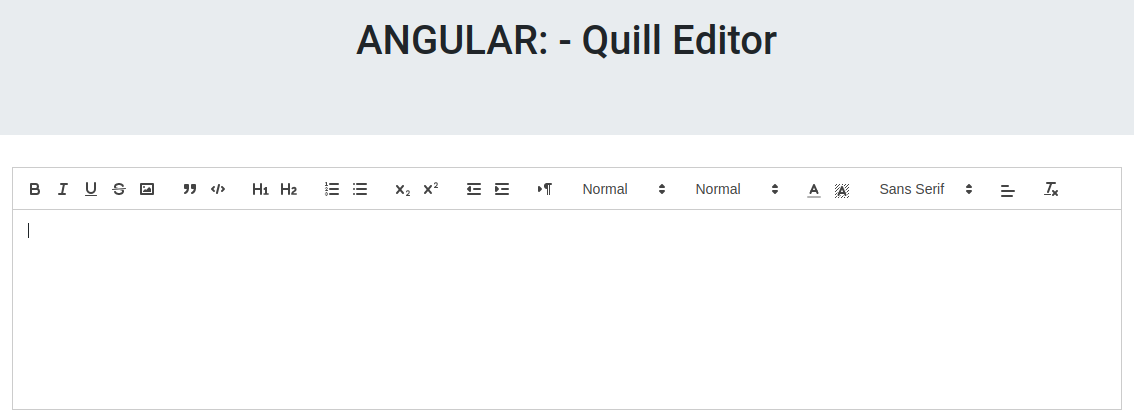
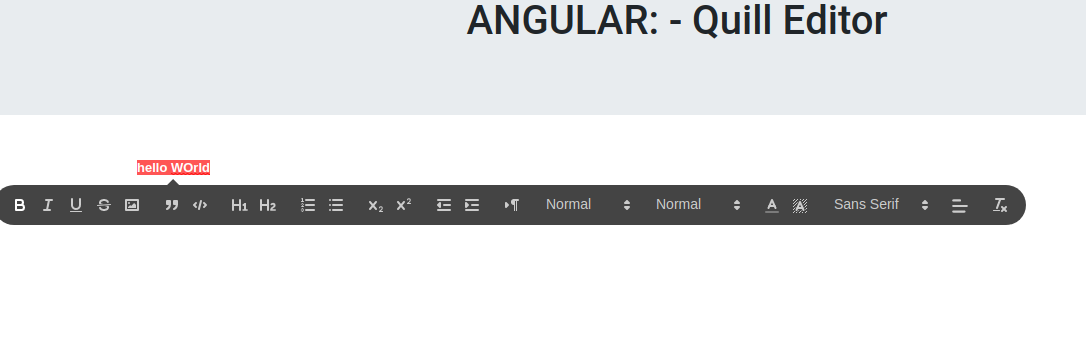
<THEME-OPTIONS>
'snow' OR 'bubble'
SNOW
Bubble
<TOOLBAR-OPTIONS>
[
    ['bold', 'italic', 'underline', 'strike', 'image'],  // toggled buttons
    ['blockquote', 'code-block'],
    [{ header: 1 }, { header: 2 }],                      // custom button values
    [{ list: 'ordered'}, { list: 'bullet' }],
    [{ script: 'sub'}, { script: 'super' }],             // superscript/subscript
    [{ indent: '-1'}, { indent: '+1' }],                 // outdent/indent
    [{ direction: 'rtl' }],                              // text direction
    [{ size: ['small', false, 'large', 'huge'] }],       // custom dropdown
    [{ header: [1, 2, 3, 4, 5, 6, false] }],
    [{ color: [] }, { background: [] }],                 // dropdown with defaults from theme
    [{ font: [] }],
    [{ align: [] }],
    ['clean']                                            // remove formatting button
]
RELEASE [ v0.0.9 ] - Fixes
- Fixed image display issue. Now the content instantly sync as the user type