 BOOMER74
node-red-contrib-mihome




Add nodes to get data from devices connected to Mi Home using node-mihome. See changelog for the latest changes.
Requirements
nodev12.22.0 or highernode-redv1.3.0 or higher
Install
Run npm i node-red-contrib-mihome in ~/.node-red directory or search node-red-contrib-mihome and install from Palette Manager.
Supported devices
| Device | Models | Tested | Node info |
|---|---|---|---|
| Mi Temperature and Humidity Monitor 2 |
LYWSD03MMC (China) NUN4126GL (Global, should be checked) |
✅ | Palette name: th monitor Node name: mihome-th-monitor |
| Mi Temperature and Humidity Sensor |
WSDCGQ01LM | ❌ | Palette name: th sensor Node name: mihome-th-sensor |
Adding device support
If you want to add device support, you can make a PR or add request in discussions. Check supported devices in node-mihome package and use node template for boost development. Additional information you can find in contributing guide.
Available nodes
mihome-cloud
Provide authorization for Mi Home.
Settings
| Setting | Required | Description |
|---|---|---|
| Username | ✅ | Mi Home account username |
| Password | ✅ | Mi Home account password |
| Country | ✅ | Which server use to connect |
| Aqara | ❌ | Should it be Aqara protocol initiated |
Setting preview
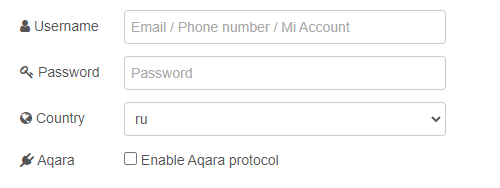
Aqara protocol limitations: you can set up only one mihome-cloud node with Aqara protocol enabled, all another may cause errors (in short explanation it's because node-mihome open socket connection in exclusive mode).
mihome-devices
Returns all devices connected to Mi Home.
Palette name: devices.
Statuses
| Statuses | Preview |
|---|---|
| Node not connected to cloud | 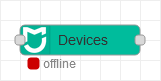 |
| Node connected to cloud | 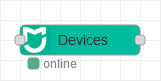 |
Settings
| Setting | Required | Description |
|---|---|---|
| Cloud | ✅ | Mi Home account settings |
| Name | ❌ | Node display name |
Setting preview

Setup
| | Description |
| --- | ----------- |
| Input | payload with true value |
| Output | payload as array of objects |
mihome-th-monitor
Returns climate data.
Palette name: th monitor.
Statuses
| Statuses | Preview |
|---|---|
| Node not connected to cloud | 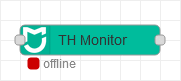 |
| Node connected to cloud but not configured | 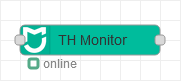 |
| Node connected to cloud and configured | 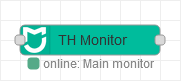 |
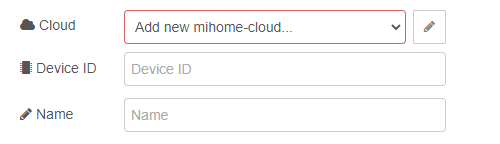
Settings
| Setting | Required | Description |
|---|---|---|
| Cloud | ✅ | Mi Home account settings |
| Device ID | ✅ | Unique device ID from Mi Home, you can get it by checking did field from mihome-devices output |
| Name | ❌ | Node display name |
Setting preview
Setup
| | Description |
| --- | ----------------------------- |
| Input | payload with true value |
| Output | payload as object contains temperature, humidity, battery level (could be null) and timestamps |