 WrathChaos







Installation
Add the dependency:
npm i react-native-get-premium-screenPeer Dependencies
IMPORTANT! You need install them
"react-native-animated-component": ">= 0.2.0",
"react-native-linear-gradient": ">= 2.5.6"
Usage
Import
import PremiumScreen from "react-native-get-premium-screen";Fundamental Usage
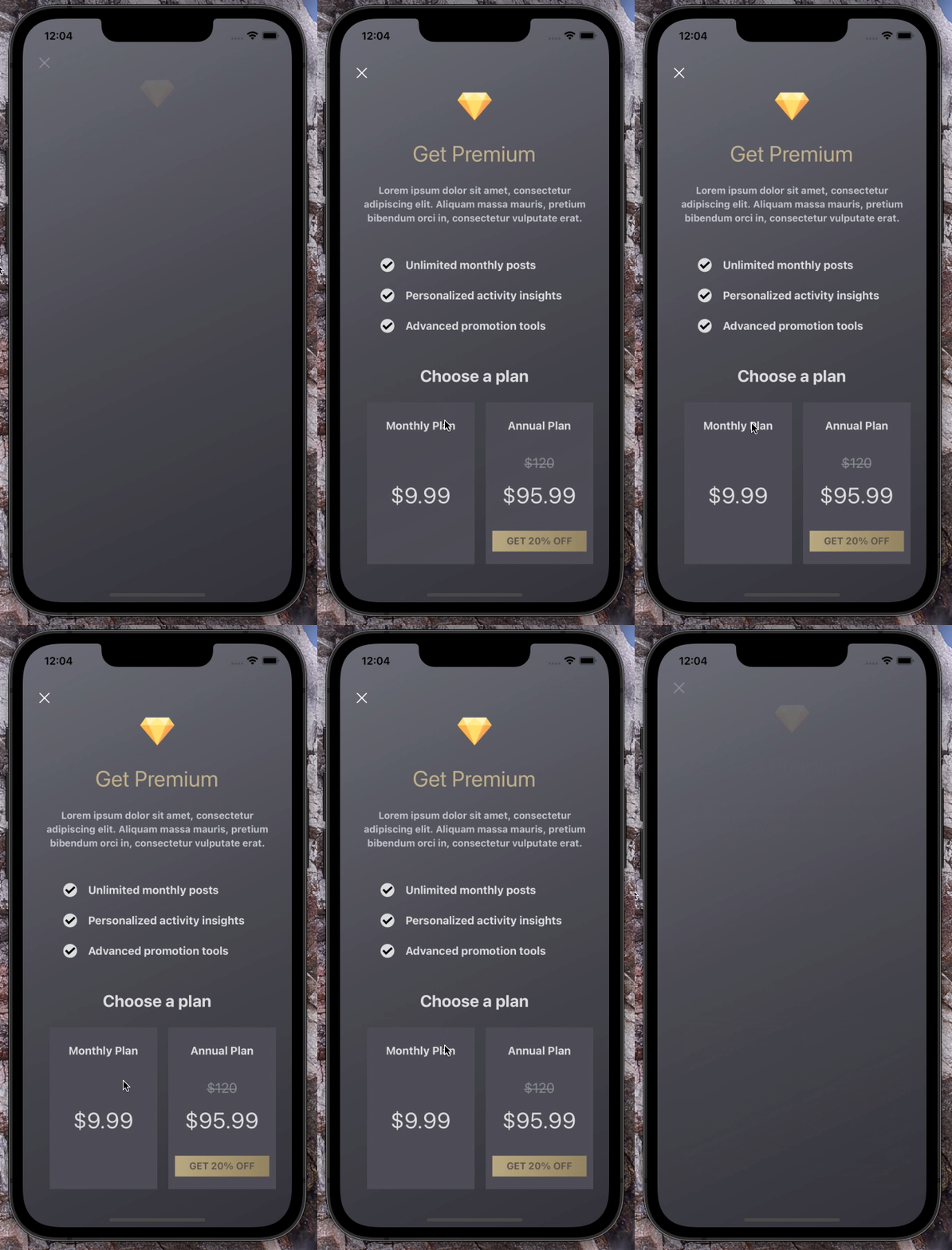
<PremiumScreen
  title="Get Premium"
  planListTitle="Choose a plan"
  description="Lorem ipsum dolor sit amet, consectetur adipiscing elit. Aliquam massa mauris, pretium bibendum orci in consectetur vulputate erat."
  onPlanSelect={(selectedPlan: IPlan) => {
    console.log(selectedPlan);
  }}
/>
Example Project 😍
You can checkout the example project 🥰
Simply run
npm ireact-native run-ios/android
should work of the example project.
Configuration - Props
Fundamentals
| Property | Type | Default | Description |
|---|---|---|---|
| title | string | undefined | change the title |
| description | string | undefined | change the descrition |
| planListTitle | string | undefined | change the plan list title |
Customization (Optionals)
| Property | Type | Default | Description |
|---|---|---|---|
| backgroundColors | string[] | ["#6a6b76", "#494951", "#323239"] | change the screen linear gradient colors |
| onClosePress | function | undefined | set your own logic for the close button functionality when it is pressed |
| onPlanSelect | function | undefined | set your own logic for the plan select functionality when it is pressed |
| disableCloseButton | boolean | false | disable / remove the close button |
| ImageComponent | component | Image | set your own component instead of Image component |
| TextComponent | component | Text | set your own component instead of Text component |
| logoImageSource | ImageSourcePropType | default | change the logo image source |
| checkImageSource | ImageSourcePropType | default | change the check image source |
| closeButtonImageSource | ImageSourcePropType | default | change the close button image source |
| logoContainerStyle | ViewStyle | default | set/override the logo container style |
| logoImageStyle | ImageStyle | default | set/override the logo image style |
| closeButtonStyle | ViewStyle | default | set/override the close button style |
| closeButtonImageStyle | ImageStyle | default | set/override the close button image style |
| titleContainerStyle | ViewStyle | default | set/override the title container style |
| titleTextStyle | TextStyle | default | set/override the title text style |
| descriptionTextStyle | TextStyle | default | set/override the description text style |
| premiumFeaturesContainerStyle | ViewStyle | default | set/override the premium features container style |
| premiumFeatureItemTextStyle | TextStyle | default | set/override the premium features item text style |
| planListContainerStyle | ViewStyle | default | set/override the plan list container style |
| planListTitleTextStyle | TextStyle | default | set/override the plan list title text style |
Future Plans
- <input checked="" disabled="" type="checkbox">
LICENSE - <input disabled="" type="checkbox"> Write an article about the lib on Medium
Author
FreakyCoder, kurayogun@gmail.com
License
React Native Get Premium Screen is available under the MIT license. See the LICENSE file for more info.